
Windows |
Standard & Enterprise |
||
Macintosh |
Seamless with Faronics AV |
||
On Premise, Cloud, Hybrid |
Patented Technology |
||
Ideal for Open Access PCs |
Widely used in Edu & Libraries |
||
Software only solution |
Free 30 day evaluation |
||
Reboot to Restore |
Reduce IT tickets |
||
Retain Data with Data Igloo |
Empower Users |
||
Central Management |
MBR Protection |
||
Auto Windows Update |
Maintenance & Tasks |


| Faronics Deep Freeze makes your computer indestructible. Deep Freeze provides the ultimate workstation protection by preserving your desired computer configuration and settings. Each time you restart your computer, Deep Freeze restores the computerback to its pristine state. Since 1999 it has helped thousands of IT professionals manage millions of computers with minimal effort. | |||
REDUCE IT TICKETS Deep Freeze ensures 100% workstation recovery with every reboot. Customers report an average reduction of 63% in IT tickets. |
COMPLETELY NON-DESTRUCTIVE Provide users with unrestricted access while preventing permanent configuration changes. |
||
PREVENT CONFIGURATION DRIFT Prevent computers from straying from their baseline configurations while still allowing users to save their work. |
ELIMINATE ZERO-DAY THREATS Deep Freeze provides a simple and effective way to clear all malicious changes to your frozen system, including zero-day threats. |
||
ACHIEVE LICENSE COMPLIANCE Deep Freeze removes all software installed, without your authorisation, with a single reboot, helping your organisation achieve license compliance. |
EMPOWER END USERS Rather than lock-down the PC with restrtictive policies - Deep Freeze allows Administrators to open up the PC. Solving the age-old problem of how tight do you lock down a PC. |
||
| How Deep Freeze Works. Deep Freeze uses patented technology to redirect information being written to the hard drive to an allocation table, leaving the original data intact. The redirected information on the allocation table is no longer referenced once the computer is restarted, thereby restoring the computer to its original state, down to the last byte. Patent Number: US7539828 B2 | |||

|
|||
|
CENTRAL MANAGEMENT The Enterprise Console for On-Premise makes it easy to deploy, configure, and manage Deep Freeze computers across the network. The Cloud console takes this further and can make remote branch networking easy. |
MAINTENANCE TASKS Schedule different maintenance windows to perform automatic updates using a batch file or third party management solutions. |
||
AUTO WINDOWS UPDATE Automatically download Windows updates even when computers are Frozen. Schedule a maintenance window to perform automatic updates and return to a Frozen state. |
THAWSPACE Create virtual partitions to retain important data even if there is no separate physical partition available on the computer. |
||
MBR PROTECTION Get enhanced security with protection for the Master Boot Record from rootkit injections and other alterations, making your security bulletproof. |
REMOTE LAUNCH Launch existing applications on selected computers from the console or even push the executable and launch it remotely. |
||
LOCK KEYBOARD & MOUSE Remotely lock keyboard and mouse to perform maintenance or to prevent any unauthorised changes. Also notify users by remotely sending a message.. |
POWER MANAGEMENT Perform Restart, Shutdown, Wake-On-LAN actions to take place on demand or on a scheduled basis. |
||
INTEGRATION Use the built-in Command Line interface to manage Deep Freeze using the most popular desktop management systems such as Microsoft SCCM, Dell KACE, Apple Remote Desktop etc. |
HYBRID CLOUD Cloud Connector brings the Cloud to the On-Premise Enterprise console, providing the best of both solutions. |
||
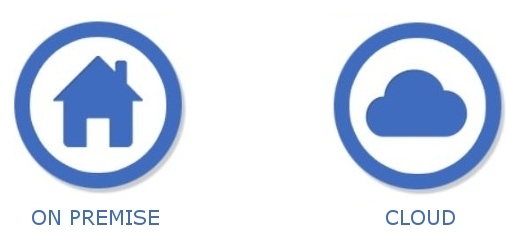
ON PREMISE VERSIONS Deep Freeze Standard is for single or small numbers of computers, with no central management offered. Deep Freeze Enterprise provides two Management consoles, Deep Freeze Enteprise Console and/or Core Console. Deep Freeze Mac utilises Apple Remote Desktop (ARD) for management. |
CLOUD VERSIONS All Cloud versions are managed from the single web based console hosted in the Cloud, with underlying AWS technology. Both Mac and Windows can be managed together as well as all other Faronics Cloud products. |
||


ABN 76 075 484 892
GITC#Q-2444 (V5 Framework)
PO Box 3144 Brighton VIC 3186 Australia
Ph1: +61 2 9555 7355 Ph2: +61 3 9629 4455
Ph: 1800 141312
Ph (NZ): +64 9 887 1002
Privacy Policy
info@aussietelecom.com.au
Authorised Reseller of Deep Freeze
Deep Freeze is a product of Faronics Corporation

